CDM 322 (production)
Advertising
Unit 1 - Introduction to media processes and technical skills
1.1/1.2 Technical Skills
This section of work is the production of a short product video. I will explain what I have learnt through the process of creating my video, from shooting, through to the final edit.
Camera Framing/Angles/Movement
To begin, we set up the camera on a tripod, roughly two metres away from the product. The product - in this case pop corn - was placed and centred on a table lined with an interchangeable blue/yellow paper backdrop. We then took still shots of both types of the product, making sure to adjust the focus.
After we had the stills it was time to loosen the tripod and film some slow pan and tilt shots. The handle attached to the tripod allowed us easy movement. We took several filming left to right, up and down and vice versa.
Next, we took some shots with variable speed changes. Although this is possible with key framing, it saved time to do it this way. We did not change the distance of the tripod to the product at any time, instead, we changed the focal length accordingly to get close-ups of the writing on the popcorn packaging.
In my opinion, some of our best shots came from using the tripod, as it was much easier to monitor what we were filming on the display, whilst not having to worry about the smoothness of the camera movement or the focus.
When we switched to handheld for more creative angles, we found that the camera wasn't in focus as much as we would have liked. However, we did not notice until we watched the footage back. Luckily, there were some clean looking shots, and we compiled these in conjunction with quite a few of the shots on the tripod to create a cleanly finished advert.
In future, we need to make sure that the camera display shows up details in red, meaning the camera is in focus and the image is sharp.
In handheld, we also experimented with the small light. We found that lighting the popcorn in the way the eye expects helps to sell the product. E.g. lighting the yellow popcorn with yellow and orange made the product more appealing. Moving the light helped create animation without moving the product itself an risking motion blur. Although, the last shot we did with the bags closed was throwing the bags into the centre of the frame at the same time and sliding them across the table. These worked as excellent end points for the advert and were not previously planned.
Upon opening the bags of popcorn, we already knew that we wanted to create lots of movement with the popcorn itself. So, we tried dropping popcorn onto the camera lens, throwing popcorn and pouring popcorn. Eventually we came to the conclusion that some slow motion pouring would be really interesting, so we shot for a while in 1/200 frames per second rather than the normal 1/50 so that the popcorn wouldn't have motion blur as it fell.
The final shots we took we of the popcorn in the bowl being uplighted from underneath which gave a hyperrealistic look.

Safety
Safety wise, using battery powered lighting was very important as it reduced the risk of trip hazards when working and moving the product. We worked safely when carrying equipment, as we put everything in its suitable bags and only carried one bag at a time so there was no risk of dropping heavy equipment or being overloaded with weight. We worked as a team to set up and pack down the lights and tripod so that stands were held steady at all times. Lastly, during the editing process I reduced the volume of the music to a safe level but also to prevent distorted audio.


Colour Grading
Lighting
Every light we used was battery powered and had adjustable colour temperatures/brightness. We used two lights rather than the usual three point lighting method. On the left, a warm toned wash effect. On the right, a dimmer wash filtered with blue to complement the product and counteract the warmth. For some shots we used a handheld battery powered light, to get interesting colours to sweep across the packaging. In my opinion these were really effective and gave a professional end result.
In the image on the right hand side, the fill light is not visible and is dimmed significantly to crate a contrast between highlight and shadow. Unfortunately, due to the way we lit the product at the very end of the shoot, we were left with more work post production as colour grading and brightening was needed. Our aim was to complement the blue of the backdrop but instead we ended up washing out the packing in complete blue, which meant that some shots needed harsh colour grading for a clearer image.
Colour Grading
Unfortunately, due to the way we lit the product at the very end of the shoot, we were left with more work post production as colour grading and brightening was needed. Our aim was to complement the blue of the backdrop but instead we ended up washing out the packing in complete blue, which meant that some shots needed harsh colour grading for a clearer image.
Music
As far as music, I browsed youtube studio and searched by genre to find something appropriate without worrying about usage rights. I downloaded and imported my music as an mp3 file. I chose my music after filming so I had to cut the audio to the right length and move and cut the video to the beat of the music. I chose my music because I thought it would be a funky addition to the ad. I had to lower the peak to -1db so that i didn't distort the music.
Text and Graphics
The only change I made with the text was to add the Proper Corn logo to my ad. I felt too much more was unnecessary and felt unprofessional.
Finished Advert

2.1 Communication Methods
The following explains how Lighting, Sound, Colour, and Camera angles can be manipulated to convey a specific emotion to the audience.
Lighting
Highkey
VS.

This is a shot from the popcorn advert I filmed and produced. It mainly features highkey lighting as shown in this scene. There are a few reasons behind this. Firstly, bright light or a well-lit scene comes with connotations of happiness. Almost as if buying the product will lighten that person's day as it does on screen. Secondly, the audience feels like nothing is being hidden from them. Everything in the shot is perfectly visible, so it seems as though every aspect of the product is great, not just what we can see.
Lowkey

This shot came from a 3-point lighting shoot that we did recently to experiment with the amount of light and the mood that it presents. The reason why there aren't any examples of lowkey lighting in the popcorn advert is that lowkey lighting is not appealing to the eye. In fact, we feel like there is something being hidden from us as an audience and are uneasy around dark images. This is of course opposite to the effect that we are trying to portray when selling a product. We want the audience to feel secure and assured of the positive effect that the product should bring. This is why the main use of lowkey lighting is in film with dark themes.
1.1/1.2 Production
Intro
On the day of the shoot, we arranged to arrive at 7.30am to set up the gimbal for interior handheld shots before the shop opened. Immediately, one of the mistakes that we realised we had made was that we didn’t do a recce before the shoot. This was because one of the members of our group worked in the shop and we relied on their knowledge in combination with images from google.
When we arrived at the location we were surprised to find that the shop was mainly a farm shop over a coffee shop. Although there was a range of beautiful fresh produce, none of our storyboards allowed time in the ad to showcase it all, as we were working off of the idea that the shop was a coffee house. We hadn’t factored in time to film the vast range of products, therefore our shoot was slightly longer than expected.

On the positive side, I think the fresh produce really helped to sell the shop as comfortable, homely and inviting. Furthermore, it gave us more shots to work with in editing which we were thankful for as not all of the coffee shots turned out as we imagined. Had we not used the extra interior shots, we may have struggled to fill 30 seconds with interesting and effective content.
Sound
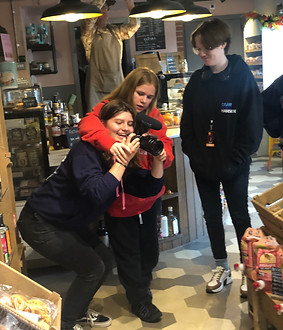
Sound was the very first aspect of the shoot that we focussed on. As we were filming in a working farm shop, we had to make sure that we recorded the audio before the shop opened at 8am. Everyone in the group collectively agreed that we wanted to record the audio of the coffee machine working. The bustling sounds of customers would affect the quality of the recording, and although ambient background sound is effective for some adverts, none of us planned for this in our storyboards so we went straight to the coffee machine to record in the quietest environment possible. Unfortunately, we were only able to arrive 30 minutes before the shop opening, as discussed with the shop owners. This meant that we had to work fast to attach the camera to the microphone/gimbal to begin recording the coffee machine. Rather than filming and recording sound separately, we did both at the same time, as we were on a tight schedule and the audio could be cut appropriately post production. We did not record any sound outside of the shop, as this part of the advert would be dubbed with music.
We used the Rode videomic pro to record the audio. The videomic pro is an external microphone which is attached on top of the camera and connected by a wire. Although it’s super lightweight (85g) it’s important to make sure that we attach the mic before setting up the gimbal because it's very difficult to do so afterwards.
One concern that I had was that we couldn’t listen back to the audio whilst filming, so it was a nice surprise when all sounded good as I imported it into premiere pro.
Lighting
Due to the time of the shoot and the nature of the shop, we didn’t feel it was necessary to add additional lighting. We carried two lights with us to the location just in case, but found that if anything the shots were too bright and we’d have to lower the exposure rather than add extra light. Lighting as seen in the finished advert was natural light coming from the large windows lining the front of the building. There were a few LED spots lighting the inside of the shop. However, in the grand scheme of things they didn’t affect the lighting at all as they were much dimmer than the sunlight.

Camera Set-Up

First, We attached the microphone to the top of the camera and tucked the wire behind the camera out of shot. Then, one of our team members balanced and adjusted the camera to fit on the gimbal for the interior shots of the shop. They had the most practice with setting up the gimbal and so this only took roughly 10 minutes. We adjusted the exposure but also set the camera to auto-focus as this can’t be adjusted once the lens is held in place by the gimbal. Unfortunately, we didn’t re-adjust the frame rate after filming the slow motion coffee shots, and ended up filming most of the shoot in 100fps rather than the standard 25fps. This worked really well when we slowed the pouring down in post-production for high quality video. But presented other problems in post production, particularly with keyframing.
After we were satisfied with all the coffee shots and panning shots of the produce, we detached the camera from the gimbal and headed outside to get the establishing shots. For this, we attached the camera to a tripod and used the handle to pan and tilt the camera. Frustratingly, it wasn’t possible to get a straight on establishing shot of the whole building, as this would have meant that we had to stand directly in the centre of the car park, putting ourselves at risk. If we had realised in advance, we would have taken the establishing shots before opening.
Health & Safety
We planned this aspect of the shoot before-hand, to ensure everyone’s safety on set. The risks are as follows.
-
Tripping over equipment
-
Coffee Machine Burns
-
Nut allergies
-
Carpark
-
Working hours
The risk assessment sheet details what steps we took to make sure we were working in a safe environment.

Communication Methods

We applied the following to our advert to create the desired effect.
-
High key lighting - to suggest an upbeat mood and positive message.
-
Warm colours - to give the shop a cosier feel.
-
High saturation - particularly on the food items, to make them more appealing.
-
Non-diegetic sound - although most of the ad was overlaid with music for interest, I used some diegetic sound from the coffee maker to conform to the standards of a normal coffee advert.
-
Eye level angle - simply to create a realistic experience of the shop in first person.
1.1/1.2 Post Production
Intro
The very first thing I did was to copy the footage from the SD card to the mac and save them in a new folder. Once everything had finished copying, I opened the folder and watched back every clip. Each clip was then marked with either a green, orange or red tag so I knew which clips were usable.
Sorting by green tags, I imported all the green clips into Premiere Pro. I dragged all the clips onto my timeline and arranged them in chronological order. I then cut my clips to the best parts and deleted any clips that were unnecessary or that I felt didn’t work.

Music
I went to youtube studio to find music to sync my clips to. Even though I sorted by the genres Jazz, R&B and Pop I found it much more difficult to find music that fitted what I wanted from this advert than my original popcorn advert. I think this was because I wanted to portray a calm sort of smooth Jazz vibe, whilst keeping the music engaging to the audience. I even tried sourcing music from other websites, but none had what I was looking for . After lots of searching, I finally landed on a piece called Gemini from youtube studio. I’ve embedded the original track below so you can listen to it without watching the advert.
The track itself fell under the dance and electronic genre which was surprising as I thought it was strange for a farm shop, but watching the video playback alongside the music, I found It weirdly worked.

The music started off with an interesting introduction and rolled into a smooth but interesting piece. The repetitiveness of the beginning worked in my favour because It meant that shortening the start was very easy. All I did was cut out a section where it repeated and put it back together again.
The song conveniently paused at around thirty seconds, so with the section I took out, combined with a small section of the end which I took out later, I managed to make the audio exactly thirty seconds quite easily. I didn’t make any other changes to the music eg. audio transitions.
After cutting all the clips to the beat, I actually started working on the very end of the advert because I knew exactly what I wanted it to look like. My storyboard was came in very useful as a visual reference, I knew I had the right shots to make it happen.
The Editing Process
First, I colour-corrected and stabilised the clip of the coffee being slid onto the left-hand side of the frame. The issue I found was that even though I had stabilised the video and set it to no motion, there were still tiny tremors as the shot was filmed by hand. Next time, I am going to film all shots with no camera movement on a tripod so the shot remains entirely still. However, I figured out a way around this by taking a screenshot of the last frame and cutting the video back. Then, I stretched the screenshot to the end of the video so that my shot would play the action of sliding the coffee and then remaining still on the table.
Next, I added the Honey & Ginger logo in a new adjustment layer so I was not working destructively and overlaid it over the video. Unfortunately, I was not able to get in contact with the owner of H & G at this point, so I had to use the logo from their website which was a bit too small and was lower quality than I’d hoped.

Next, I added the Honey & Ginger logo in a new adjustment layer so I was not working destructively and overlaid it over the video. Unfortunately, I was not able to get in contact with the owner of H & G at this point, so I had to use the logo from their website which was a bit too small and was of lower quality than I’d hoped.
Once the end was finished, I went back to the beginning of the advertisement and watched it back. I’d already realised that we didn’t get a front-facing establishing shot which was very frustrating, as I had to reconsider the whole beginning section of my advert.
I reviewed the exterior clips and decided to continue with my original idea of the walk into the shop/ track feet walking idea. I edited this and transitioned it into the main section but I didn’t like the way it looked. It wasn’t as I had imagined and looked unprofessional to me. So, I deleted it and started again.
This time, I noticed that one of the exterior shots showed a van driving by which completely obscured the camera at one point. This is when I had the idea to keyframe the logo onto the plain side of the van and have the van wipe to the interior of the shop. So, I set to work moving the logo frame by frame to track with the movement of the van. The movement is a bit more jittery than I would have liked but that’s because this scene was filmed in 100fps?! Rather than the usual 25fps which would have been much easier for me to work with.
I spent two days trying to get the van to wipe to the interior how I wanted but because of the fps, the keyframing was acting up and it was almost impossible to mask accurately. I asked for help and the teacher had the same problem but eventually managed to solve it by making a separate sequence and re-importing back onto the main timeline.
It was then just a simple case of adding transitions between the clips. Some of the transitions were presets, others I made myself. I wanted a wipe blur transition from left to right but Premiere Pro only had the option to go from right to left. So I made my own wipe blur transition between the two clips by keyframing and adjusting the focus at the point where the two clips joined. I’ve saved this transition for future use as it’s much more customiseable than Premiere Pro’s presets (I can slow/speed up and adjust the direction and amount of blur).
I noticed when watching the video back that there were some power lines in the background of the exterior shots that were very distracting to the eye, so I tried to mask the sky over the top of them. This was very time consuming as I had to work frame by frame with a custom mask. Although this worked to an extent, it was affecting the rest of my video and didn’t work out so I unfortunately had to scrap it.
After I had compiled all of my clips with transitions, I imported the sound recordings of the coffee pouring/steaming of the milk and placed it underneath the tracks on the timeline where the coffee was being made.
The final edit that I made was colour correction. I played around with masking and managed to create a mask to bring down the exposure on the sign outside of Honey & Ginger to at least make it readable. Finally, I brought up the exposure on the rest of the exterior shots and saturated the packaging on the products so that it would look more inviting. I added a warm glow to every shot as I wanted the Shop to feel warm and comfortable.
I exported the video and then it was done.
1.1/1.2 Finished ads


Action Plan


